


RDM: Recover Deleted Messages
4.4649.00 Reviews
App Specs
- Version
- 2.0.4.1
- Updated On
- License
- Free
- Downloads
- 10,000,000+
- Developer
- ZipoApps
- Categories
- Communication
- Platform
- Android
Screenshots
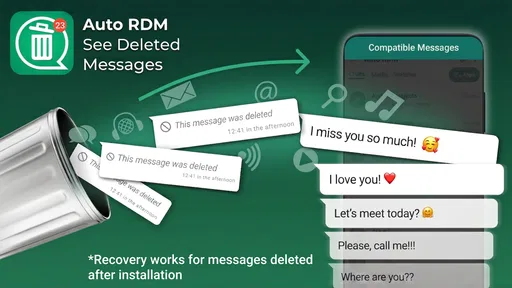
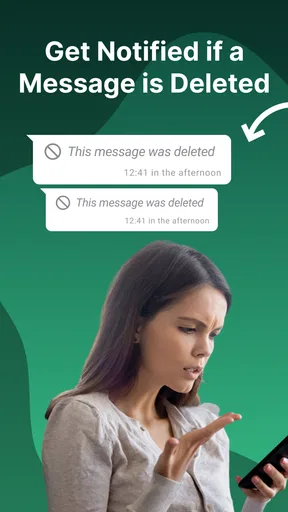
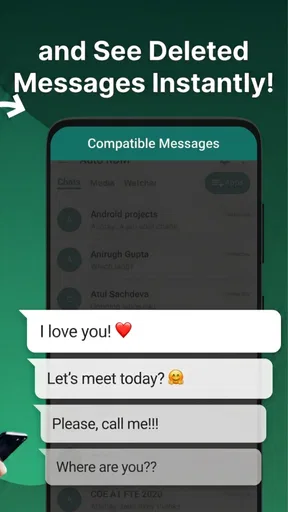
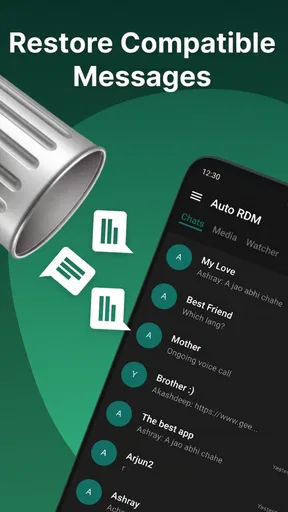
 Analysis by AppCompare
Have you ever accidentally deleted an important message and wished you could magically retrieve it? Well, I recently stumbled upon an app that might just be your new best friend: RDM: Recover Deleted Messages. I decided to give it a whirl, and let me tell you, it’s quite the life-saver!
That promise is most useful when I treat the app as a safety net rather than a guaranteed way to bring back anything that disappears. RDM is a communication app from ZipoApps, and its central approach is to retain messages through notification activity. In everyday terms, it can help preserve a message that reaches your phone and is later deleted, but it is not the same thing as restoring a message from the sender’s account or retrieving an old conversation from a server.
This distinction shapes how I would use it. If a message never produces a notification on the device, there may be nothing for RDM to capture. And if I install it only after a message is gone, I would not expect it to travel back in time and recover that earlier content. Its value is prospective: set it up before a deletion happens, then it may offer a record of what appeared on your phone.
Getting Started with RDM
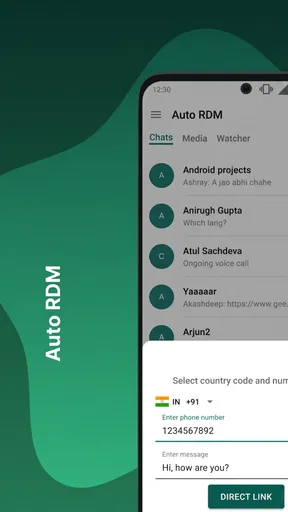
Setting up RDM: Recover Deleted Messages is as smooth as butter. Just pop into your app store, download, and you’re good to go. The interface is super user-friendly, which is a huge plus for those of us who aren’t exactly tech wizards. You can easily navigate through the app without feeling like you need a manual to do so.
Because this kind of recovery depends on notifications, setup deserves a little more thought than simply opening the app once. I would check that the messaging apps I care about are allowed to show notifications, then make sure RDM has the access it needs to read them. Notification previews are the bridge between a message arriving and a copy being available to review; if previews are hidden, muted, or otherwise unavailable, the result can be incomplete.
There is also a practical privacy trade-off here. Notification access can expose message previews on the device, so I would only enable it if I was comfortable with that arrangement and would consider who else can unlock or use my phone. This is not a substitute for good account security, and I would not install any recovery tool on a shared device without thinking through what private conversations might become easier to view.
Features that Stand Out
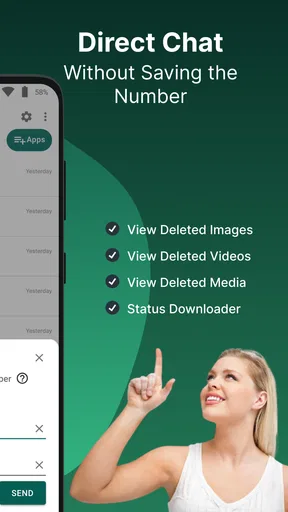
Once you dive into the app, you’ll notice it’s packed with nifty features that make recovering messages a breeze. The app supports a wide range of messaging platforms, so whether you’re using WhatsApp, Instagram, or Facebook Messenger, RDM has got you covered. Plus, it doesn’t just stop at text messages; you can recover images, videos, and voice notes. How cool is that?
Worth Reading Before You Choose

Flipboard Shows What News Apps Must Do Beyond the Feed

Switching to Android Auto Means Rethinking Your Driving Routine

Google Calendar Makes a Crowded Week Easier to Manage

Ludo King Makes the Most of the Minutes Between Plans

Baby Panda World Brings Quick Play to Modern Phones, but Its Game Library Feels Busy

ESPN’s Live Game View Makes Following Close Games Easier
The notification-based idea is especially helpful for short-lived information: an address sent while I am walking, a change to a meeting time, or a note I mean to answer later. If the sender removes the message before I can open the conversation, having a saved notification may give me enough context to understand what changed. That is a modest but genuinely useful kind of recovery: it can prevent a missed detail from turning into a chain of follow-up messages.
I would still distinguish a notification record from a complete copy of a chat. A preview may show only part of a long message, and media or voice content can depend on what appeared in the notification in the first place. For that reason, I would not rely on RDM as an archive for important work, legal records, or family memories. If I need dependable long-term preservation, I would use the messaging service’s own export or backup options where available, and keep RDM as a convenient extra.
The app works seamlessly in the background, monitoring your notifications. So, whenever a message is deleted, RDM jumps into action, saving it before it’s lost for good. It feels like having a personal assistant dedicated to keeping your messages safe. Just remember to grant the necessary permissions during setup to ensure it functions properly.
A useful habit is to test the workflow with a harmless message before counting on it. I would send a simple note from another account or ask someone I trust to do so, check that its notification appears, and then see whether RDM records what I expect. This helps identify ordinary causes of missed captures, such as notifications being switched off for a particular chat. It also sets realistic expectations about what the app can show, without using a genuinely important conversation as the experiment.
For day-to-day use, I would treat the app as a reference point, not a reason to avoid communicating directly. If a message matters, replying or saving the information in the appropriate place is still better than assuming I can retrieve it later. The strongest use case is catching an accidental deletion or checking a notification I could not read in time, not building a private shadow inbox that replaces the original messaging app.
Performance and Usability
Using RDM is a hassle-free experience. It doesn’t drain your battery or slow down your phone, which is something I always worry about with apps running in the background. The design is sleek and intuitive, making it easy for anyone to use without a steep learning curve.
My advice is to pay attention to how the phone handles notifications after installation. Battery-saving settings and background restrictions can vary between devices, and they may affect whether an app keeps working as expected. If captures seem inconsistent, I would first check notification settings for the messaging app and the phone’s background controls before assuming that every deleted message should appear. That simple troubleshooting step is more useful than repeatedly reinstalling the app without knowing what interrupted the notification flow.
RDM is free to download, but it also offers in-app purchases priced from $0.99 to $149.99 per item. I would look carefully at the purchase screen and decide whether any paid option solves a need I actually have; the core idea is easy to understand without treating an upgrade as essential. The app is rated for Everyone, runs on Android 5.1 and later, and version 2.0.4.1 is the current release. Those details make it straightforward to check basic compatibility before installing, especially on an older phone.
One thing I particularly appreciated is the app's ability to organize recovered messages. You can view them by app or even by contact, which makes finding specific messages so much easier. It’s like having your personal archive of conversations at your fingertips.
That organization matters most when I use the app selectively. If I am looking for a message from a particular person, narrowing the view by contact is more practical than scanning every notification from every service. I would also avoid letting a growing collection become a reason to keep sensitive material indefinitely: review what is useful, and remove or manage anything I no longer need if the app’s controls allow it. Keeping the phone’s notification history tidy is a small privacy habit with a real payoff.
Where It Fits Among Message-Recovery Options
Compared with the usual alternatives, RDM takes a different route from restoring a cloud backup. A backup may bring back a broader conversation history, but it depends on having a suitable backup and can involve restoring a state of the app rather than checking one missed notification. RDM’s appeal is speed and convenience for messages that arrive after it is set up; it is not a replacement for backups when a whole chat or a longer history matters.
It also differs from simply checking the messaging app again. If a sender has deleted something and the original conversation no longer displays it, reopening that chat may not answer what was sent. RDM may help when the text was visible in a notification, while the messaging app remains the better place to continue the conversation, see context, and respond. I would choose the original app for ordinary communication, a backup for broader recovery, and RDM for the narrower moment when a notification contains something I want to check later.
There are clear cases where I would skip it. If I keep message previews hidden for privacy, rarely receive notifications, or need a complete and reliable record of every conversation, the app’s basic method may not suit me. The same goes for anyone expecting it to recover messages that disappeared before installation or were never surfaced as notifications. In those situations, changing notification habits or using the service’s own backup tools is more sensible than expecting a notification-based utility to do a different job.
Is RDM Worth It?
So, is RDM worth downloading? In my opinion, absolutely! It’s a handy tool for anyone who values their messages and media. Whether you’re accident-prone or just want that extra layer of security, this app is an excellent choice.
I would recommend it most to people who often receive useful details in chats and sometimes miss them because they are busy, away from the phone, or slow to open a notification. A realistic example is getting a last-minute change to a dinner location while commuting: if the sender deletes and corrects the note, the earlier notification may help explain why the plan changed. For that kind of small everyday uncertainty, the app can save time and avoid confusion.
With a 4.4 average from around 167,000 ratings and over 10 million installs, it has clearly found a large audience. I see those figures as useful context, not a guarantee that every notification will be captured on every phone. My own recommendation comes with that qualification: RDM is most convincing when its limits match the problem you want to solve, and when you are comfortable giving it access to notification content.
In a world where digital communication is king, losing messages can feel like losing a piece of our history. RDM: Recover Deleted Messages makes sure you don’t have to go through that. It’s simple, effective, and a must-have for peace of mind.
I would soften that promise in one important way: no notification-based app can make every deletion recoverable in every situation. Still, as a lightweight safety net for messages that reach your phone, it can be worth having. ZipoApps released it on December 18, 2019, and the listing shows 649 reviews alongside its broader rating total. I would focus less on popularity and more on whether notification previews fit your privacy preferences and whether your main need is catching individual messages rather than restoring entire chats.
If you’re interested in giving it a shot, head over to your app store and check it out. Trust me, you’ll wonder how you ever lived without it!
Before installing, I would ask myself two practical questions: do I want message previews accessible through a separate utility, and do I mainly need help with future notifications rather than old conversations? If the answer to both is yes, the free download is an easy way to see whether the workflow fits. If either answer is no, keeping previews private or relying on the messaging app’s own backup and history tools is likely the better choice. Used with that clear expectation, RDM is a focused communication helper rather than a universal recovery solution.
Pros
- Recovers messages from popular chat apps.
- User-friendly interface for easy navigation.
- Supports various file types beyond text.
- Quick scan for fast retrieval of messages.
- No root access required for functionality.
Cons
- May not recover all deleted messages.
- Limited support for some older devices.
- Occasional ads can disrupt usage.
- Requires permissions that may concern privacy.
- Performance varies across different devices.
FAQs for RDM: Recover Deleted Messages
What is RDM: Recover Deleted Messages and how does it work?
RDM: Recover Deleted Messages is an app designed to retrieve messages that have been deleted from your messaging apps. It works by accessing your notification history and storing the deleted messages in its internal archive. This allows you to view any messages that were removed before you had a chance to read them.
Is RDM: Recover Deleted Messages safe to use?
Yes, RDM: Recover Deleted Messages is generally safe to use. It does not require access to sensitive personal data beyond notifications. However, it's important to download the app from a reputable source like Google Play Store or the Apple App Store to avoid any potential security risks associated with unofficial versions.
Can RDM: Recover Deleted Messages retrieve media files like photos and videos?
Currently, RDM: Recover Deleted Messages primarily focuses on text-based content. While it can recover messages, it may not be able to retrieve media files such as photos and videos. This is because media files are not stored in notifications and are usually deleted from the app server.
Does RDM: Recover Deleted Messages require an internet connection to function?
No, RDM: Recover Deleted Messages does not require an internet connection to retrieve deleted messages. The app operates by accessing the notification history stored locally on your device, which allows it to function offline. However, an internet connection may be needed for downloading the app and receiving updates.
Will using RDM: Recover Deleted Messages affect my device’s performance?
RDM: Recover Deleted Messages is designed to be lightweight and should not significantly impact your device's performance. It runs in the background to monitor notifications, which is a relatively low-resource process. Nonetheless, users with older devices or limited storage may notice a slight decrease in speed.


